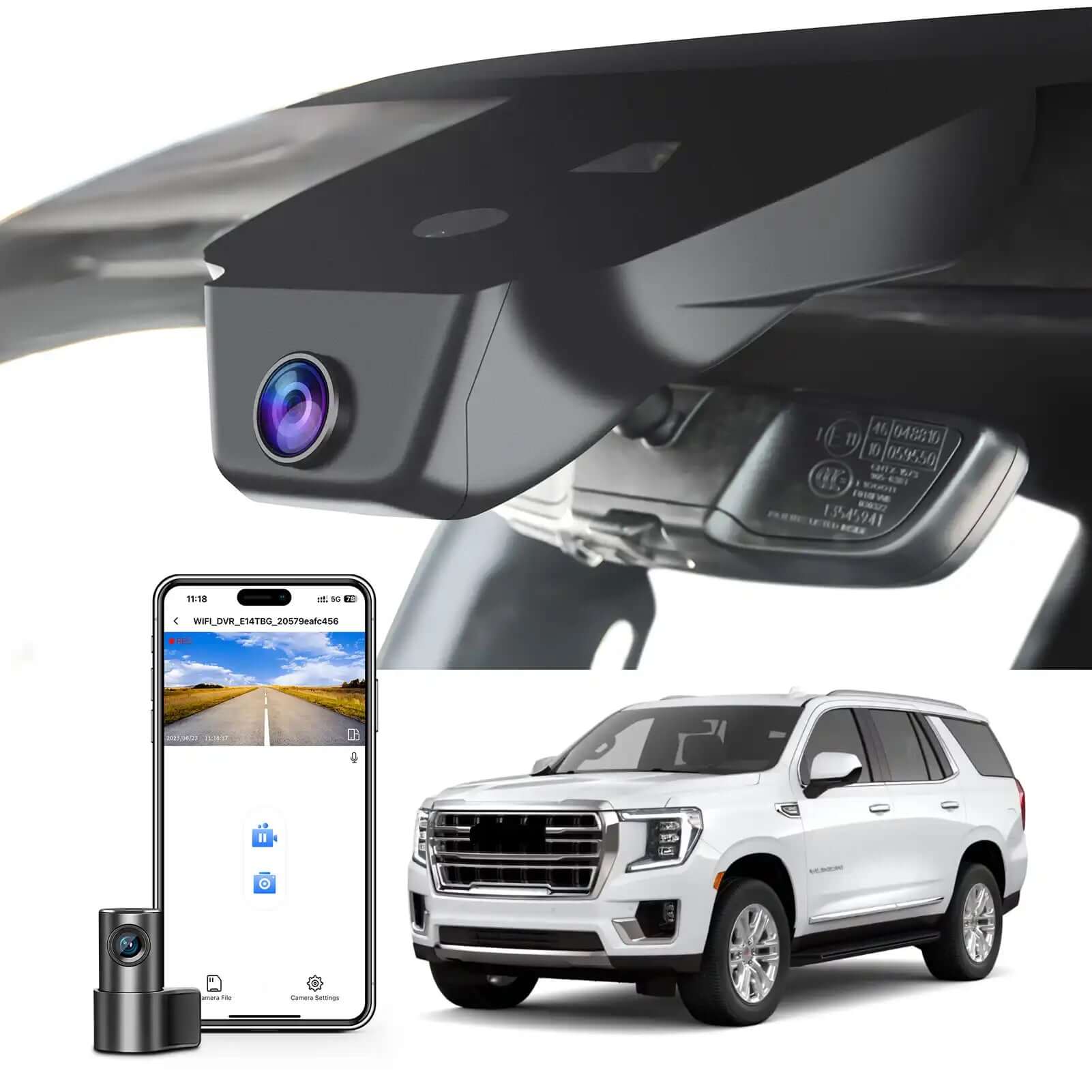
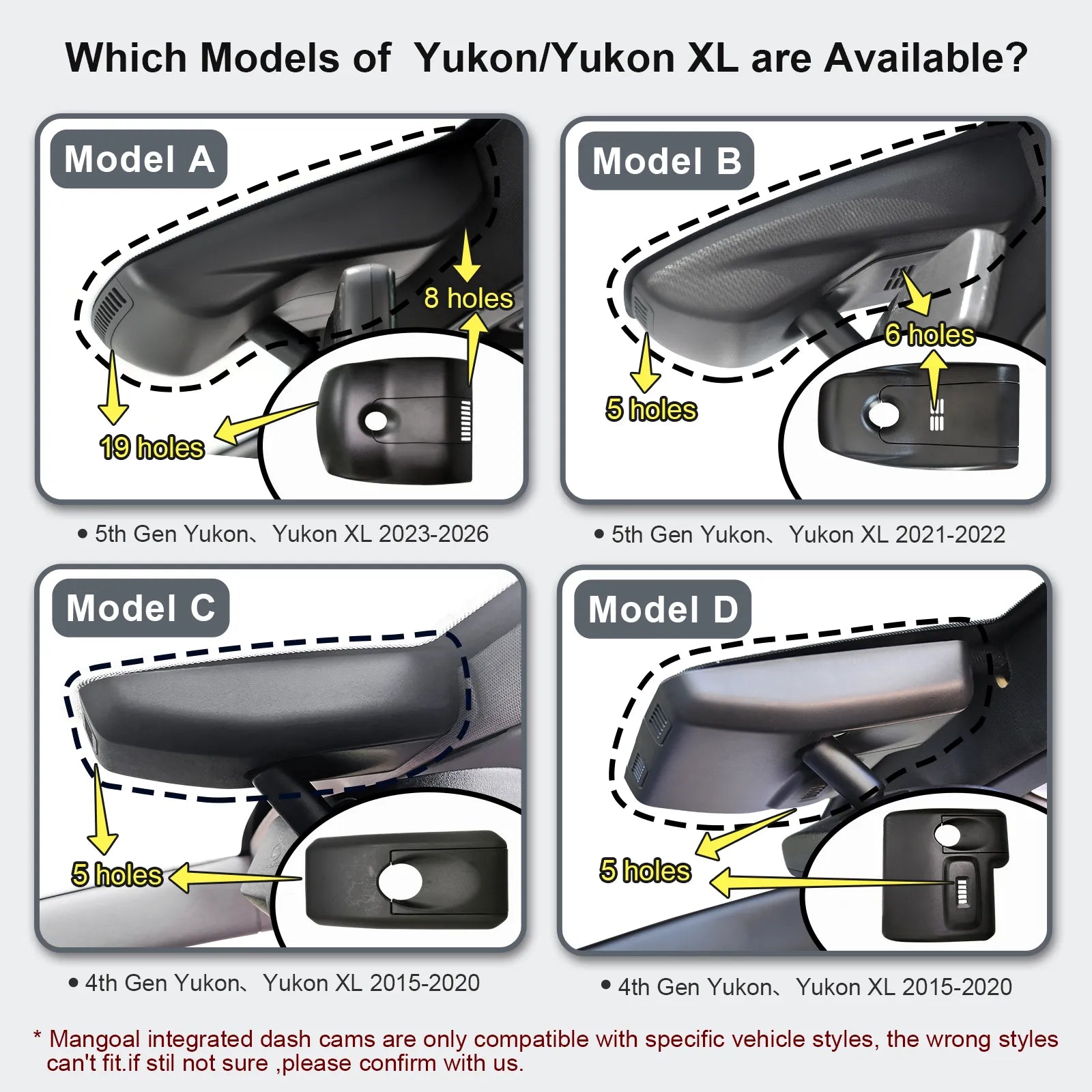

Mangoal Caméra de tableau de bord avant 4K et arrière 1080p sur mesure pour GMC Yukon, Yukon XL 2023 (modèle A), SLE SLT AT4 Denali Denali Ultimate, look OEM intégré, vidéo UHD 2160P, capteur G, carte 128 Go
Modèle A : avant 4K et arrière 1080P
Description
Ajustement personnalisé pour GMC Yukon
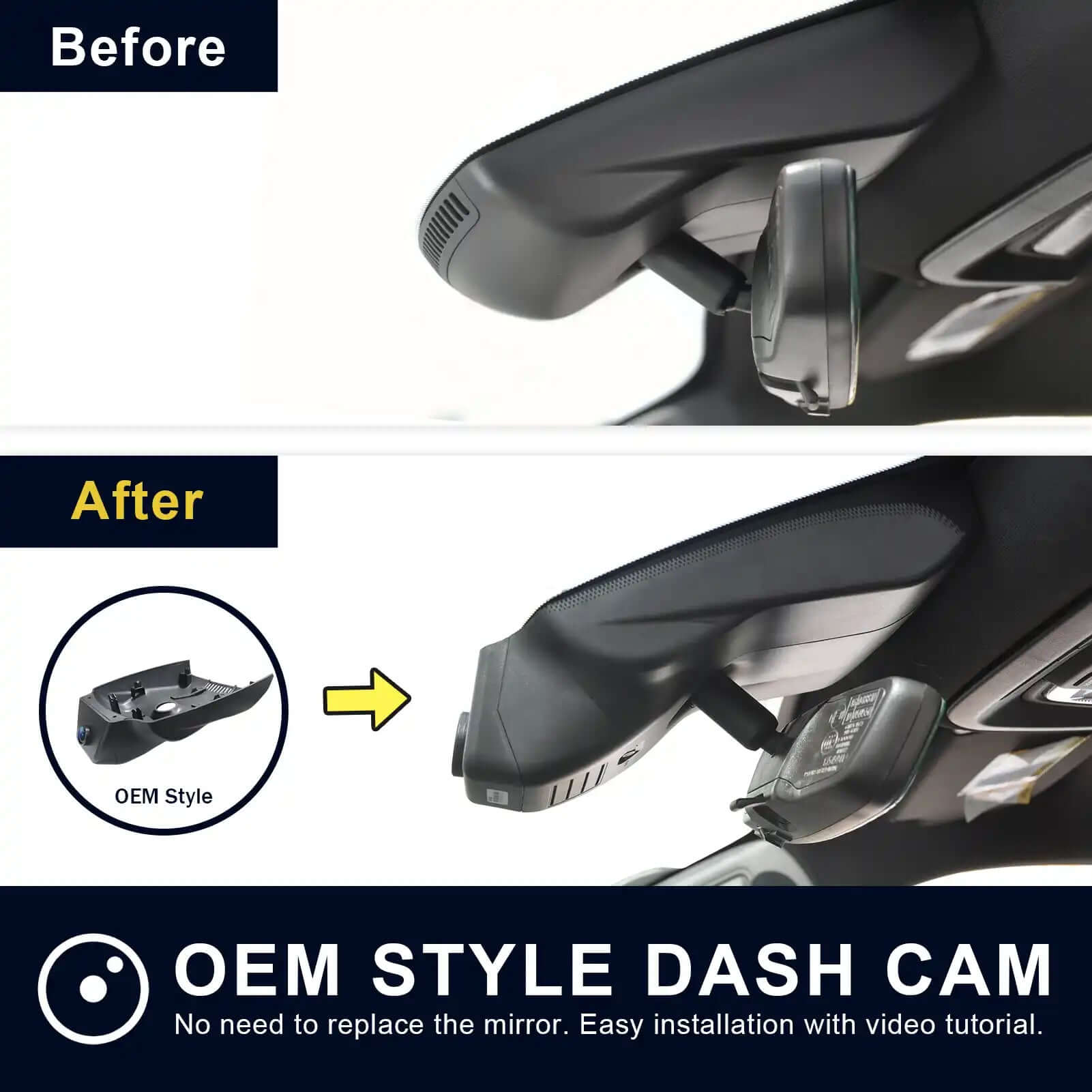
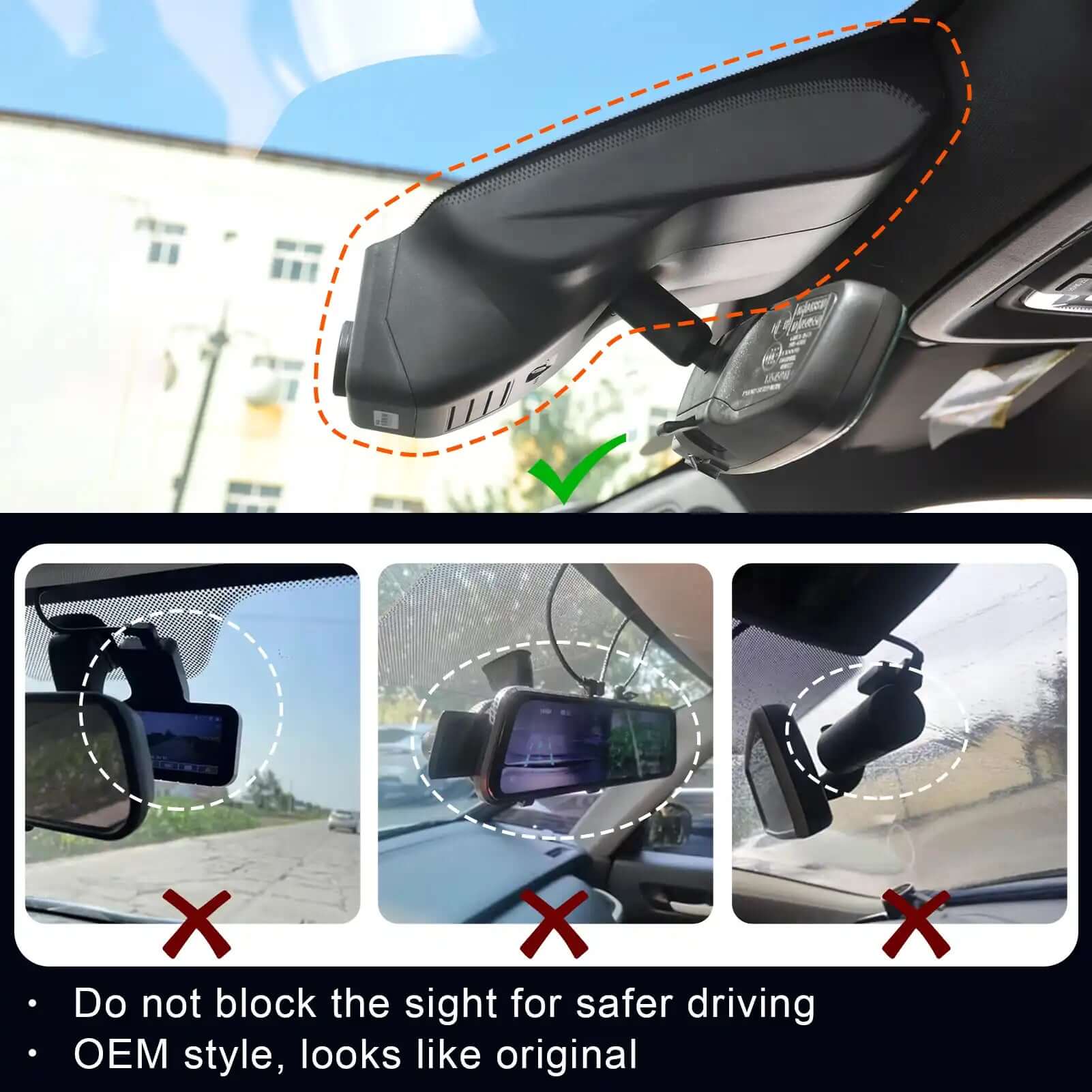
La caméra de tableau de bord Mangoal 4K et arrière 1080P peut s'adapter parfaitement derrière le rétroviseur comme l'original. Aucun câblage désordonné exposé, aucun recâblage compliqué du tout. Parfaitement intégré aux styles de véhicules GMC Yukon, Yukon XL 2023, tels que SLE SLT AT4 Denali Denali Ultimate.
Avant 4K et arrière 1080P
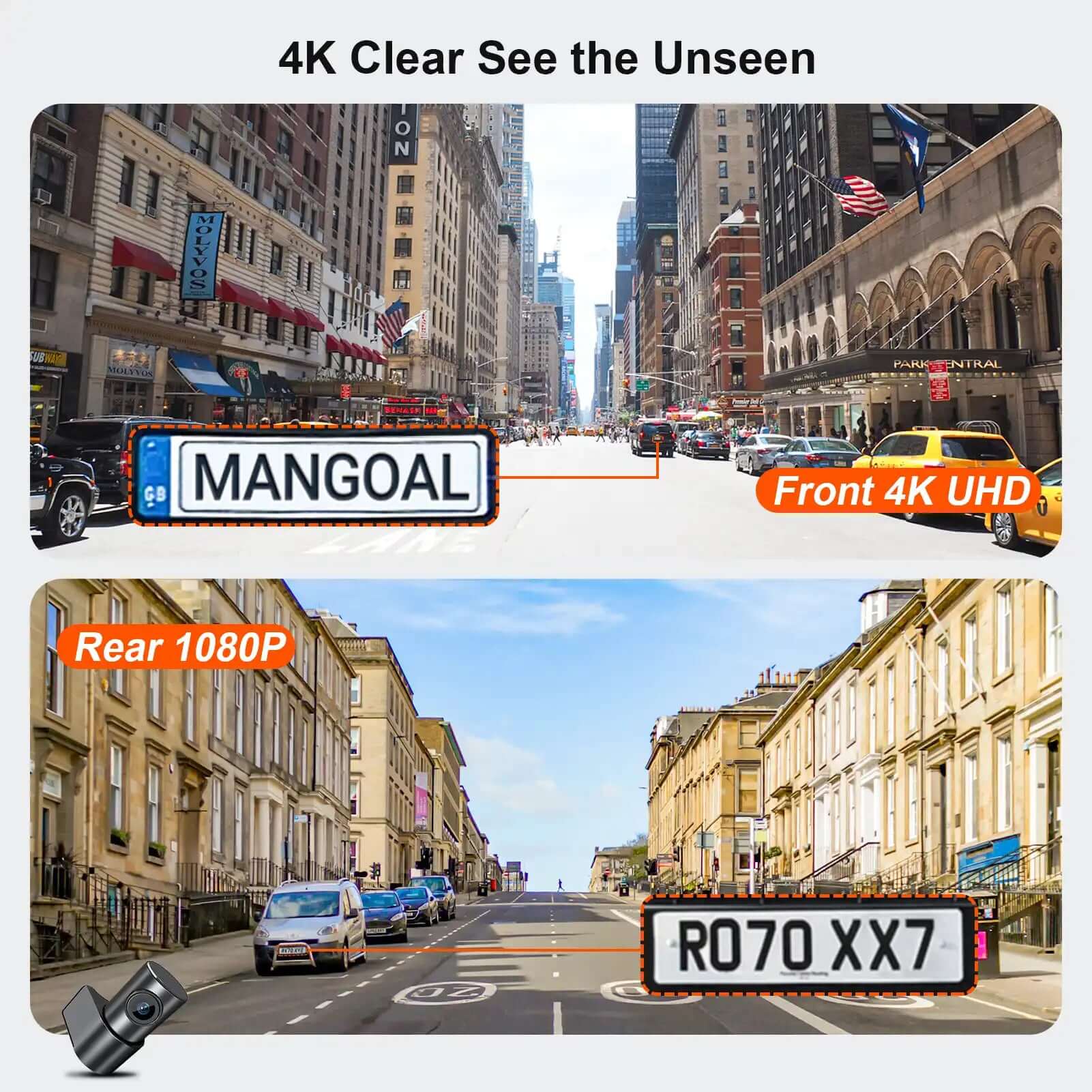
Notre double caméra de tableau de bord qui enregistre des vidéos jusqu'à des résolutions Ultra HD 4K (3840 x 2160) + FHD 1080P. Il vous aide à lire les détails clés tels que les panneaux de signalisation, les plaques d'immatriculation des véhicules, etc. Pour réduire les zones aveugles, il dispose d'un grand angle avant de 170 degrés et d'un grand angle arrière de 140 degrés. Cela vous aide dans des circonstances inattendues comme une collision à conserver et à présenter des preuves.
WiFi intégré, application gratuite
Le Wi-Fi intégré offre une définition plus élevée et une vitesse de téléchargement plus rapide, et l'application gratuite et conviviale permet de visionner des vidéos en temps réel sur votre téléphone, de télécharger ou de transférer des séquences importantes sur un PC. Vous pouvez également partager des vidéos sur les réseaux sociaux avec vos amis ou votre famille quand vous le souhaitez.
Enregistrement en boucle et capteur G
L'enregistrement en boucle transparente écrasera les séquences les plus anciennes par le nouveau contenu lorsque la carte mémoire est pleine. G-Sensor détecte une collision soudaine et enregistre et verrouille immédiatement la vidéo actuelle dans le dossier spécifié, empêchant l'écrasement des séquences pertinentes.
Ce que vous obtenez
Mangoal OEM Look 4K Dashcam x1, caméra arrière x1, câble de caméra arrière x1, carte MircoSD 128G x1, manuel d'utilisation x1, adaptateur OBD x1, adaptateur à gradation automatique x1, pied de biche x1, sangle x2, garantie de 12 mois sans souci et service client amical.
FAQ
1. Les caméras de tableau de bord Mangoal ne sont compatibles qu'avec un modèle de véhicule spécifique, le mauvais modèle ne peut pas s'adapter. Il ne prend pas en charge l'ajout d'une caméra arrière séparément si vous avez déjà eu une seule caméra avant ! Parce que les cartes PCB sont différentes.
2. Le WiFi de la caméra n'est pas distant. Veuillez télécharger des clips importants sur votre téléphone lorsque vous êtes dans la voiture et que le moteur est allumé si nécessaire.
3.Pourquoi l'écran d'aperçu de la caméra n'est-il pas clair lorsqu'il est visualisé via l'application ?
La qualité d'image de l'interface d'aperçu de l'APP est spécialement compressée pour une expérience APP fluide. Cliquez sur l'application « Camera File » pour voir la vidéo originale de qualité AHD.
4. Doté d'une fonction d'enregistrement sonore, qui peut être activée/désactivée lors du réglage de l'application mangoal.
5. La caméra de tableau de bord de style OEM Mangoal n'a pas de boutons physiques pour les paramètres de caméra traditionnels. Comment définir les fonctions liées à la caméra ?
La fonction de réglage Mangoal des caméras traditionnelles est disponible. Nous l'implémentons via le paramètre SkyCamm APP. Nous avons préparé un mode d'emploi détaillé et l'opération est simple.
6. Emballé avec une carte MicroSD de 128 Go et prend en charge un maximum de 128 Go.
Existe-t-il un seul modèle de caméra embarquée pour un style de véhicule ?
l'image et le texte ont une description détaillée.
Lorsque je suis à la maison, mon téléphone portable peut-il se connecter au WIFI de la dash cam ?
Tout d'abord, le WiFi de la caméra n'est pas distant, impossible de se connecter à distance. Deuxièmement, si vous devez vous connecter au WIFI de l'enregistreur à proximité, à condition que le moteur soit allumé et que l'enregistreur soit allumé normalement.
Si je passe une commande pour le package hôte de la caméra avant maintenant, puis-je acheter la caméra arrière séparément plus tard ?
Non, ce sont deux ensembles de caméras complètement différents.
Un téléphone portable peut-il être connecté à CarPlay et au wifi de la caméra en même temps ?
Le téléphone ne peut pas être connecté simultanément à CarPlay et à la caméra embarquée WiFi, mais la caméra enregistre automatiquement lorsque la voiture démarre, vous n'avez donc pas besoin de la garder connectée à la caméra tout le temps.
Pourquoi l'écran d'aperçu de la caméra n'est-il pas clair lorsqu'il est visualisé via l'application ?
La qualité d'image de l'interface d'aperçu de l'APP est spécialement compressée pour une expérience APP fluide. Cliquez sur l'application « Camera File » pour voir la vidéo originale de qualité AHD.
La caméra embarquée de style OEM Mangoal n'a pas de boutons physiques pour les paramètres de caméra traditionnels. Comment définir les fonctions liées à la caméra ?
La fonction de réglage Mangoal des caméras traditionnelles est disponible. Nous l'implémentons via le paramètre SkyCamm APP. Nous avons préparé un mode d'emploi détaillé et l'opération est simple.